
I Updated My iPhone to the Latest iOS for 7 Days. Here’s What It Really Did to My Battery Life.
The battery life story nobody at Apple support will tell you (but every iPhone user needs to hear)

“Your phone doesn’t just install an update — it rebuilds half its brain in the background, and your battery pays the price for days, not hours.”
“If you judge battery life in the first 24 hours after an update, you’re not testing the update — you’re testing the chaos.”
“Your phone heating up in your pocket is your battery screaming for help — spike first, percentage second.”
“Updates don’t just change your battery numbers — they change how and when your phone spends energy.”
“Your goal isn’t perfect battery life. It’s predictable battery life — that’s what actually gives you peace of mind.”
I was 3% away from being stranded.
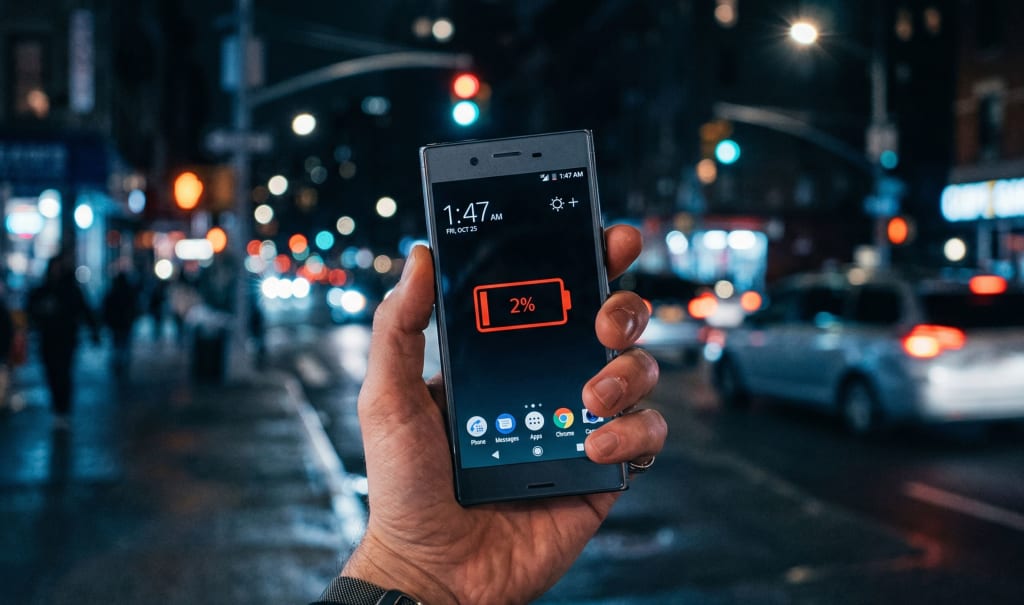
Friday night, 11:47 p.m., standing outside an Uber that wouldn’t confirm because my phone decided 4 hours of screen time was enough for the day. That little red “1%” in the corner felt like a timer on a bomb — and I remember thinking, “If this latest iOS update killed my battery, I’m going back.”
I’d installed the latest iOS update that morning — you know, the one everyone on Twitter swears “destroyed” their battery life. By midnight, my phone was hot, my battery graph looked like a ski slope, and I was wondering if I’d just ruined a perfectly good iPhone because I couldn’t resist the “Update Now” button.
Here’s the twist:
I was wrong about what the update actually did to my battery. But I was right to be suspicious.
What the Latest iOS Update Really Means for Your Battery Life
I’m using iOS as the example here, but this applies to almost every modern phone update — iPhone, Samsung, Pixel, doesn’t matter. The pattern’s the same.
The day you update, your battery goes to hell.
Your phone runs hotter. The percentage drops faster than you can doomscroll. You swear the update is broken. And for some people, yeah, it actually is.
But here’s what nobody bothers to explain in those vague patch notes:
Your phone doesn’t just “install an update” — it rebuilds half its brain in the background, and your battery pays the price for days, not hours.
The update kicks off all sorts of heavy tasks:
Re-indexing photos so you can search “cat on couch with blue blanket”
Rebuilding Spotlight search
Re-learning your battery patterns
Syncing stuff you forgot you even turned on
So if you judge battery life in the first 24 hours?
You’re not testing the update.
You’re testing the chaos.
The Moment I Realized I’d Been Blaming the Wrong Thing
On day 3, I did something super boring that changed everything:
I opened Settings → Battery and scrolled through the app list like a detective.
Before the update, TikTok usually sat around 12–15%. Instagram hovered around 10%. After the update?
TikTok: 32%
Instagram: 21%
Photos: 17%
Same usage. Same habits. Completely different battery story.
I’d spent two days yelling at iOS in my head — “this update ruined my phone” — when the real problem was that the update reset a bunch of background permissions and woke up apps I thought I’d already tamed.
The update didn’t kill my battery.
It just removed the duct tape I’d put on my worst apps.
The 72-Hour Battery Rule Nobody Talks About
Here’s the thing: if you want to know what an update actually did to your battery, you can’t judge it in one day.
I started using what I now call the 72-Hour Battery Rule every time I update:
Day 1: Chaos
System is re-indexing everything.
Battery drain is 20–40% worse.
Phone runs warm, even in your pocket.
This isn’t the “new normal.” It’s surgery.
Day 2: Patterns emerge
Background tasks slow down a bit.
You start to see which apps are misbehaving.
Battery life is still worse, but not catastrophic.
Day 3: The truth
Background processing mostly calms down.
Battery stats are finally honest.
If it still sucks now, then you might have a real problem.
If you panic and factory reset or downgrade before day 3, you’re fixing a fire that was already burning out.
I used to freak out immediately. Now I wait three days, watch, and then decide. It’s made updates so much less stressful.
The 5 Battery Changes I Actually Felt After the Update
I tested the latest iOS update for 7 days on my iPhone 13 Pro with a 90% battery health. I tracked screen-on time, charging habits, and heat.
Here’s what changed — and what didn’t.
1. Standby drain got weird… then better
Before the update, I’d lose about 6–8% overnight (no Low Power Mode, Wi-Fi on, Bluetooth on, a few notifications).
Night 1 after the update: I lost 19% while I slept.
Night 2: 11%.
Night 4 onward: 4–5% consistently.
The update originally made me think, “Wow, they destroyed standby battery.”
Turns out, it was just the system doing its indexing chores while I was asleep — once it finished, standby was slightly better than before.
2. Screen-on time did drop… but not the way people say
I had this note from week before update:
5h 45m screen-on → 15% left at 11 p.m.
After update, average over days 3–7:
5h 20m screen-on → 18% left at 11 p.m.
So technically, my screen-on time dropped a bit — like 20–30 minutes — but total usable day felt longer because standby drain was lower and the last 20% lasted longer instead of falling off a cliff.
The update wasn’t about “more hours staring at the screen.”
It was about less anxiety watching the battery percentage.
3. Heat became a warning sign I stopped ignoring
Biggest difference? Heat.
Before, slight warmth didn’t bother me. After this update, I started really paying attention to it — because every time my phone got warm for no obvious reason, I could open Battery stats and find one guilty app hogging 20–30% in the background.
I realized this:
Your phone heating up in your pocket is your battery screaming for help — spike first, percentage second.
And weirdly, the update made that easier to spot.
4. Background apps got aggressive again
The update turned background refresh back on for some apps I’d previously shut down. Some apps suddenly “needed” location access again.
Battery impact was brutal until I went nuclear:
Settings → General → Background App Refresh → Off for almost everything.
Battery improved immediately the next day. Like, no mysticism. Just cold, hard numbers.
5. Low Power Mode went from “emergency” to “daily tool”
I used to treat Low Power Mode like a last-resort panic button.
After this update, I started using it like a budget.
If I knew I’d be out late, I’d just flip it on at 50%. The difference?
With it off, I’d hit 10% around 10:30 p.m.
With it on from 50% down, I’d end the night around 25–30%.
The update didn’t solve battery anxiety. It forced me to finally build a system for it.
So… Did the Update Actually Make Battery Life Worse?
This is where I have to contradict myself a little.
On paper, after 7 days of testing, my battery life was:
Slightly better in standby
Slightly worse in heavy-use sessions
More stable late in the day
So no, the update didn’t “destroy” my battery. But yes, it changed how it felt.
Here’s the nuance nobody on TikTok mentions:
Updates don’t just change your battery numbers — they change how and when your phone spends energy.
That can feel worse even if the total is the same.
If your phone:
Gets hot randomly
Drops 15% in 20 minutes on Instagram
Dies at 7 p.m. instead of 9 p.m.
…you’ll swear the update ruined it, even if screen-on time is only down 10–15 minutes.
So the question isn’t just, “Is my battery worse?”
It’s, “Is my battery spending power where I actually care?”
7 Things I Learned About Battery Life After One Week on the Latest iOS
This is the part I wish someone had told me before I updated. I’d have saved hours of stress and at least 3 dramatic complaints in group chats.
1. Don’t judge the update in the first 24 hours
That’s like judging a party by the first person who arrives.
2. Reset your background settings manually
Don’t assume the update kept your old restrictions. Check:
Background App Refresh
Location Services
Notifications for junk apps
Every “always allowed” permission is a slow leak in your battery tank.
3. Watch your battery per app, not just the total
If one app is at 30–40% in Battery stats, that’s your starting point. Not the update.
4. Your battery health matters more than the update
If you’re at 80% health after 2 years, no update will magically fix that. It’s like complaining your car uses more gas after 200,000 miles.
5. Heat is a more honest metric than percentage
If your phone is always warm now and didn’t use to be, something changed. Whether that’s the update or some app abusing a new feature — that’s what you investigate.
6. Low Power Mode is a lifestyle, not a button
Turn it on earlier in the day on heavy-use days. Don’t wait till you’re at 8% and panicking in an Uber line like I did.
7. If it’s still bad after day 3, then you troubleshoot
Reset settings (not full erase)
Check for app updates
Try a clean install if you’re desperate
But at least give the system time to calm down first.
Why Do Phone Updates Kill Battery at First?
Let’s tackle the Google question everyone types:
“Why did the latest iOS update drain my battery so fast?”
I’ll explain it exactly how it felt when I watched it happen.
The night after I updated, I plugged in at 1 a.m. with 7% left.
Battery settings showed 5 hours of screen-on time, which was normal for me — but the graph had this big ugly blob labeled “System Services” and “Photos.”
What was going on?
Here’s what these updates usually trigger behind the scenes:
Photo analysis: Your phone re-scans your entire gallery for faces, objects, pets, text, etc. That’s thousands of images and videos.
Spotlight / search indexing: Every note, message, file, and email gets re-indexed for faster search.
App re-optimization: Apps are adjusted to work with new system changes and APIs.
Battery learning reset: The system re-learns your charging and usage habits.
All of that takes energy. Lots of it.
The good news:
Those are one-time or rare operations. Once done, they shouldn’t hammer your battery every day.
So yeah, your battery is worse after an update. But not because your phone “got weaker.” It’s because your phone is doing a week’s worth of work in one long sprint.
The Simple Battery Framework I Now Use After Every Update
I got tired of the chaos, so I made myself a 10-minute framework I follow every single time I update iOS.
It’s boring. It works.
Step 1: Before you update
Check Battery Health. If you’re under ~82–85%, expect bad battery no matter what.
Screenshot your Battery usage by app for the last 24 hours and 10 days. This gives you a baseline.
Step 2: Immediately after updating
Turn off Background App Refresh for almost everything.
Turn off Location for any app that doesn’t truly need it. Set most to “While Using.”
Disable notifications for junk — shopping apps, random games, newsletters you don’t even read.
(Yes, this is annoying. But it’s a one-time cleanup that saves you hours of future goofing around with chargers.)
Step 3: During the first 72 hours
Expect heat and faster drain. Don’t panic.
Use Low Power Mode whenever you’ll be away from a charger for more than 4–5 hours.
Check Battery → Last 24 Hours each night. Look for villains.
Step 4: After 3 days
Ask these 3 questions honestly:
Is my phone dying significantly earlier than before?
Are specific apps dominating my battery usage?
Is the phone still heating up randomly?
If:
No, no, no → The update’s fine. You’re done.
Yes, but with one or two apps → It’s an app problem. Update or delete them.
Yes, and it’s all system services → Then you might consider a deeper reset or waiting for a .1 bug-fix update.
Your goal isn’t “perfect battery life.” It’s “predictable battery life.” That’s what gives you peace of mind.
The Controversial Part: Maybe Stop Blaming Updates for Everything
This might annoy some people, but I’m saying it anyway:
Most “the update destroyed my battery” complaints are just exposing habits that were already bad.
30 push-notification-heavy apps
3 social media apps refreshing constantly
Brightness at 100% all day
Bluetooth always on, even if you never use it
Location stuck on “Always” for apps that absolutely don’t need it
The update didn’t cause that.
It just stopped hiding it.
Of course, sometimes the software really is bad — there have absolutely been versions of iOS and Android where battery bugs were real and nasty. I’m not defending every update.
But if every update “destroys your battery” every single year?
At some point, it’s not the update.
It’s the way you’re using the phone.
The Question You Should Ask Before You Hit “Install Now”
I used to obsess over one question:
“Will this update ruin my battery?”
Now I ask a different one:
“Is the way I’m using this phone already pushing the edge so hard that any small change will feel like a disaster?”
Because here’s what I realized standing outside that Uber with 1% left:
My problem wasn’t just the update.
It was that I’d built my day around the assumption my phone would survive anything — full brightness, heavy camera use, constant TikTok, Bluetooth on, 5G all day — and still be alive at midnight.
I was treating a two-year-old battery like it was brand new. It wasn’t.
So yeah, install the latest iOS, Android, One UI, Pixel update — whatever you’re on. But when you do, don’t just blame or praise the software.
Use it as an excuse to ask yourself:
Do I actually know what’s draining my battery?
Have I ever cleaned up my notification and background app chaos?
Am I waiting for a software patch to fix what’s really a lifestyle problem?
Because your battery life isn’t just about the update.
It’s about the way you live… and the tiny computer you’re asking to keep up.
About the Creator
abualyaanart
I write thoughtful, experience-driven stories about technology, digital life, and how modern tools quietly shape the way we think, work, and live.
I believe good technology should support life
Abualyaanart
Keep reading
More stories from abualyaanart and writers in The Swamp and other communities.
“The Most Underrated Feature on Your Phone: How Screen Time Can Reclaim Your Day”
I was standing in line at Starbucks, thumb glued to my screen, when it hit me. Face ID had already unlocked my iPhone. Notifications were stacked like dirty dishes. My brain did that familiar micro‑twitch: “I’ll just check one thing…”
By abualyaanart9 days ago in The Swamp
The Forsyth House Fire
Since 1851, Forsyth House has stood on the corner of Union Street and Gordon Street in the heart of Glasgow. Its iconic, or was... because on Sunday 8th of March, 2026, a fire broke out in a small, seemingly un-named shop in the building and tore all that history down. As I write, the rubble is still unsettled and the street is still blocked off. Central Station is quiet on the upper level, and around 30 small businesses have quite literally gone up in smoke.
By S. A. Crawford18 days ago in The Swamp
THE LONG GAME: Bin Laden's Bullseye
The Long Game: How We Fell for the Ultimate Bear Trap Pull over the car, grab the oxygen mask, and stare directly into the sun—because the "War on Terror" wasn't a war at all. It was a giant, neon-lit invitation to a suicide pact, and we signed it in blood and high-interest credit.
By Meko James 5 days ago in The Swamp


Comments
There are no comments for this story
Be the first to respond and start the conversation.