
“The Most Underrated Feature on Your Phone: How Screen Time Can Reclaim Your Day”
“Why the quietest settings on every new iPhone and Android release have more power over your life than cameras, processors, or AI if you actually use them.”

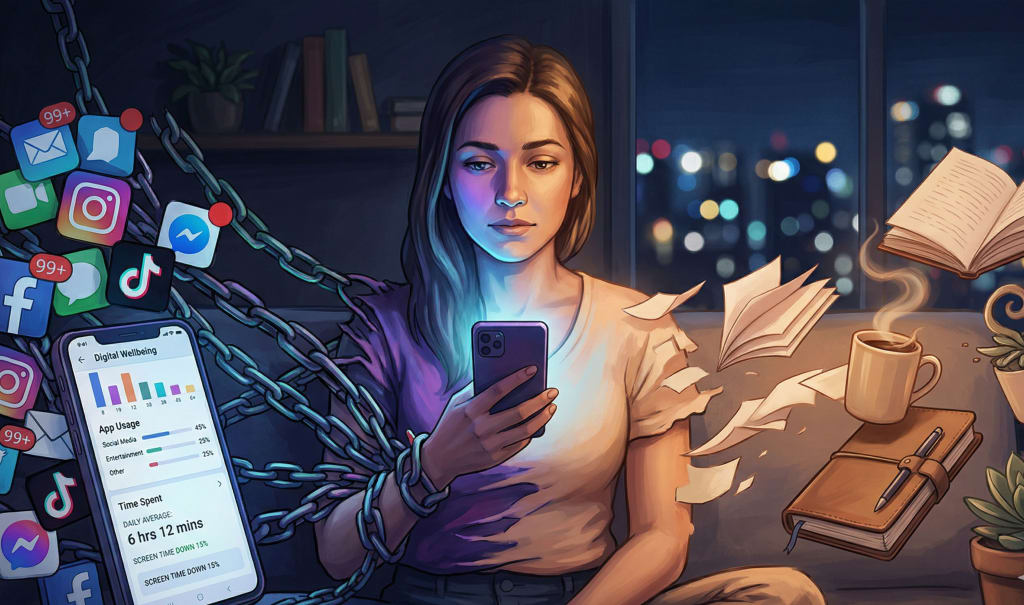
I was standing in line at Starbucks, thumb glued to my screen, when it hit me.
Face ID had already unlocked my iPhone. Notifications were stacked like dirty dishes. My brain did that familiar micro‑twitch: “I’ll just check one thing…”
Five minutes later, my coffee was cold, my name had been called twice, and I’d scrolled through three apps without remembering opening a single one.
Here’s the part that actually bothered me: it didn’t feel like I chose any of it.
That night I did something weird. I decided I’d stop caring about cameras, processors, and all the stuff Apple and Samsung scream about — and instead spend 30 days messing with the most underrated feature on every new iPhone and Android release:
Screen time & digital wellbeing controls.
Not as a productivity hack. As a way of reprogramming how my phone talks to my brain.
I thought it’d be boring.
It was the most uncomfortable — and useful — experiment I’ve ever done with a piece of tech.
The Most Underrated Feature on Every New iPhone/Android Release
Say the words “Screen Time” or “Digital Wellbeing” and half the room checks out.
It sounds like the broccoli of tech features. Necessary. Good for you. Completely unsexy.
But here’s what I realized day 7 into the experiment: this quiet little section in Settings is the remote control for your attention. And attention is the operating system for your entire life.
New phones flex about:
Cameras that can see in the dark
Processors that can edit a movie on a plane
AI that guesses what you want before you ask
But the thing that actually changes your day?
Whether your phone feels like a slot machine — or a tool you pick up on purpose.
Quick translations so we’re on the same page
iPhone calls it: Screen Time
Android calls it: Digital Wellbeing (plus Focus / Bedtime / App timers)
Both quietly add new controls every year that most people never touch
And yeah, I used to think this stuff was just “for parents to limit their kids’ TikTok.”
I was wrong.
The Night I Realized My Phone Was Better at Controlling Me Than I Was at Controlling It
On day 3, I did something slightly painful: I opened Screen Time and tapped “See All Activity.”
I thought I was doing okay. I don’t even use TikTok. I read books. I write. I’m “disciplined.”
Then I saw it:
4 hours 37 minutes on my phone
101 pickups
First pickup: 7:12am
Top apps: iMessage, Instagram, Safari, YouTube (in that order)
I stared at the number 101.
That’s not “I like my phone.”
That’s “I interrupt my own life 101 times a day.”
And here’s the part I wouldn’t have admitted a year ago: it wasn’t even fun. The scrolling felt like eating stale chips — you keep going, even though every bite is kind of disappointing.
So I did something I’d been avoiding for months.
I set hard limits.
30 minutes for social media, total
15 minutes for YouTube
Downtime at 10:30pm
“Allowlisted” only calls, calendar, notes, music
It felt extreme. Controlling. A little embarrassing.
I hit “OK” anyway.
The First 72 Hours: Annoyance, Withdrawal, and Something I Didn’t Expect
The next morning, I burned through my 30‑minute social limit by 10:04am.
At 10:05am, Instagram froze with that “You’ve reached your limit” screen. I hit “Ignore Limit” out of habit, the way you hit “Accept Cookies” without reading.
Then I caught myself.
This tiny, boring feature had just exposed my autopilot.
So I made one rule for the experiment: I could override any limit, but I had to say out loud why.
Out loud. Like a crazy person.
“I’m overriding this limit because I’m bored and don’t want to think.”
You only have to say that twice before you start feeling ridiculous.
By day 4, something shifted.
I still picked up my phone a lot. But there was this tiny half‑second pause between the pickup and the tap.
Almost like my brain had installed a new dialog box:
“Are you actually doing this on purpose?”
That half‑second is everything.
The most underrated feature on your phone isn’t Screen Time — it’s the moment you catch yourself before you tap. Screen Time just makes that moment louder.
Why This Feature Matters More Than Your Camera or CPU
Here’s the thing: the camera changes how your photos look. Screen Time changes how your days feel.
Every new phone gives you the same four hidden superpowers:
A mirror — raw data on how you actually use your phone
A bouncer — limits that stand at the door of your worst habits
A time machine — scheduled Focus modes that carve out distraction‑free hours
A parent — “Downtime” that sends your apps to bed before you
No keynote ever leads with this. There’s no glossy ad of someone lovingly enabling “App Limits.”
But look at how many parts of your life quietly depend on this stuff:
Sleep
Work that actually moves your life forward
Deep conversations
The ability to be bored long enough to have an original thought
Cameras make memories.
Screen Time decides whether you’re present enough to remember them.
The Setup: How I Turned My Phone Into a Tool Again
I’m not going to pretend I became some monk who never touches their phone.
What I actually did was way less glamorous and way more useful.
Here’s the exact setup I used (and still use):
1. Three Focus Modes (iPhone) / Modes (Android)
Deep Work
Allowed: Messages (only “Favorites”), Calendar, Notes, Maps, Spotify
Silences: Email, social, Slack, everything else
Trigger: 9am–12pm, Mon–Fri, and manually when I need it
Social / Creator Mode
Allowed: Social apps, camera, notes
Blocks: Work email, Slack, banking, random utilities
Trigger: 7pm–9pm
Sleep
Allowed: Calls from favorites, alarm, meditation app
Trigger: 11pm–7am
2. App Limits
Instagram: 15 mins
Twitter/X: 15 mins
YouTube: 20 mins
Safari (yes, the browser): 30 mins non‑work hours
3. Downtime
10:30pm–7am: Only calls, maps, messages from “Favorites”
At first, it felt like overkill.
Then I realized: I didn’t need more discipline — I needed less temptation.
“If you’re relying on willpower against billion‑dollar attention machines, you’re not weak — you’re outgunned.”
I Was Wrong About “Self-Control”
For years I told myself, “I just need more discipline with my phone.”
I’d uninstall Instagram. Then reinstall it “for work.”
I’d do a notification detox. Then let everything creep back in.
I treated my phone like a moral test.
This experiment made me change my mind completely.
Here’s what I missed: your phone is designed to win against raw self‑control. That’s the whole business model.
The point of Screen Time / Digital Wellbeing isn’t to shame you. It’s to tilt the environment back in your favor.
Think about it:
Casinos remove clocks.
Supermarkets put candy at eye‑level for kids.
Apps put red badges on everything.
Screen Time is you quietly putting the clock back on the wall.
The 7-Day Framework to Rewire Your Phone (That Anyone Can Steal)
If I had to compress everything I learned into a simple “do this next” plan, it’d be this.
Day 1: Brutal truth
Open Screen Time / Digital Wellbeing.
Tap through every chart and screen.
Write down:
Total daily average
Top 5 apps by time
Total pickups
First pickup time
Don’t fix anything yet. Just feel the discomfort.
Day 2: Delete one app, limit three
Delete one app you know is pure brain‑candy. The one you open reflexively in awkward moments.
Set 15–20 minute limits on your top 3 time‑suck apps.
Give yourself permission to override — but only after tapping “Ask For More Time” and waiting 10 seconds.
Day 3: One Focus mode
Create a single “Deep Work” or “Study” Focus/Mode.
Choose 6–8 apps you’re allowed to use. Everything else goes silent.
Schedule it for a block when you want to feel proud of yourself later.
Day 4: Notification purge
Turn off all notifications for:
Shopping apps
News
Social media (except DMs, if you must)
Keep: calls, messages, banking, genuine utilities.
Day 5: Downtime experiment
Set Downtime/Bedtime for just 60 minutes before bed.
Watch what your hands reach for when the apps gray out. That’s where the addiction lives.
Day 6: Redesign your home screen
Home screen 1: Only apps that move your life forward (calendar, notes, camera, health, etc.)
Home screen 2: “Intentional fun” (reading, podcasts, language learning)
Bury social in a folder on screen 3 or 4.
Day 7: Review & adjust
Look at your weekly report.
Ask one question: “Did my phone feel more like a tool or a trap this week?”
Adjust limits from there — up or down.
Most people don’t need a digital detox. They need a digital renovation. Same house, different walls.
“But I Need My Phone for Work”
I thought this would be the biggest obstacle for me.
I write, I post, I respond to people online. My excuses sounded fancy, but they were still excuses.
Here’s what actually happened when I tightened my limits:
I replied to messages faster, because I batched them.
My posts did better, because I wasn’t half‑present when I wrote them.
I felt less like I was “always on” and more like I had office hours.
One unexpected bonus: people started respecting my time more.
When you’re not instantly available, people think a tiny bit harder before they demand your attention.
Is there a tradeoff? Yep.
You’ll miss some “urgent” memes. You won’t be first to comment on everything. You’ll respond to a Slack ping 30 minutes later than usual.
And you’ll remember what it’s like to think a full thought all the way through without a notification slicing it in half.
The Dark Pattern Nobody Talks About
Here’s what nobody tells you about new phone releases:
Every year, companies ship two kinds of features:
Shiny features that get you to upgrade
Quiet features that help you protect yourself from the shiny features
They flash the first group onstage.
They bury the second group in Settings.
The attention‑grabbing stuff:
Live Photos, 8K video, 120Hz screens
“For You” feeds that get smarter every week
Widgets that show you everything, all the time
The attention‑protecting stuff:
Screen time dashboards
Focus and Do Not Disturb upgrades
One‑tap notification silencing
Greyscale / Wind Down modes
One is designed to impress you.
The other is designed to save you.
You get to choose which one you care about.
Is Screen Time / Digital Wellbeing Really That Powerful?
Short answer? Yes.
Long answer? Only if you treat it like a system, not a guilt trip.
Here’s what changed for me after 30 days:
My daily average dropped from 4h37m to 2h19m
Pickups dropped from 100+ to 48–60
I stopped mindlessly opening 5 apps in a row just because my phone was in my hand
I started sleeping 45–60 minutes earlier most nights
I read 3 books I’d been “too busy” for
Did my life magically become perfect? Of course not.
There were nights I smashed “Ignore Limit” repeatedly and fell into YouTube holes. There were mornings I reached for my phone before my glasses.
But the difference was this: those moments became the exception, not the default.
“Your phone doesn’t have to be a distraction machine or a productivity tool. It becomes whatever you repeatedly allow it to be.”
What If You Actually Designed Your Phone Around You?
Let’s flip the usual script.
Instead of asking, “How can I fit my life around this phone?”
Ask, “What would my phone look like if it was designed around the life I say I want?”
If your answer includes:
More deep work
Better sleep
Less comparison
More in‑person conversation
Actually finishing the things you start
Then your camera megapixels and your processor benchmarks don’t matter nearly as much as:
Which apps get to interrupt you
When they’re allowed to do it
How easy it is to drift into dopamine quicksand
Screen Time / Digital Wellbeing is the only feature that touches every one of those.
Cameras capture what you’re looking at.
Screen Time shapes what you even notice long enough to care about.
The Opinion That Might Get Me Yelled At
I’m going to say the quiet part out loud:
If you upgrade your phone every year but never touch your digital wellbeing settings, you’re not “into tech.” You’re just into buying stuff.
That sounds harsh. I get it.
But I’ve watched friends debate for 45 minutes about which iPhone color to get, then spend 0 minutes deciding which apps are allowed to hijack their attention.
We’ve accepted that it’s normal to:
Sleep with our phones within arm’s reach
Let our first thought in the morning be a notification
Check work email in line at the grocery store
Look up and realize an hour’s gone without remembering what we consumed
And then we call ourselves “bad with phones” instead of admitting the truth:
We’re using powerful tools on default settings designed for maximum engagement, not maximum well‑being.
That’s like buying a sports car and never learning where the brakes are.
How to Start Today (Without Waiting for the Next Phone Launch)
You don’t need the newest iPhone or latest Android to do any of this.
You can start in the next ten minutes:
Open Screen Time / Digital Wellbeing.
Set:
One Focus/Mode for deep work or study
One app limit for your worst offender
One hour of Downtime/Bedtime tonight
Put your most important apps on your first home screen and bury the rest.
Then tomorrow, check your report.
Not for the numbers — for how your day felt.
Did conversations feel less interrupted?
Did work feel less scattered?
Did your brain feel a little less like 19 tabs playing different songs?
If yes, keep nudging the sliders.
If no, adjust. This isn’t dogma. It’s an experiment.
You don’t have to throw your phone in a lake to get your life back. You just have to stop letting default settings decide what deserves your attention.
So… What’s Your Phone Really For?
I’ll leave you with the question that messed with me the most.
One night, around week three, my limits kicked in, my apps grayed out, and I actually put my phone face‑down on the table at 10:15pm.
I sat there, weirdly restless, and wrote this in my notes app:
“If my phone disappeared tomorrow, what parts of my day would actually get worse — and what parts would secretly get better?”
That’s the question I want you to sit with.
Because once you’re honest about that, Screen Time / Digital Wellbeing stops being a boring settings page and becomes what it really is:
The most underrated feature on every new iPhone and Android release — the one that decides whether your phone feels like a tool you own, or a tiny glowing boss that owns you.
You don’t have to answer me.
But you owe yourself an answer.
About the Creator
abualyaanart
I write thoughtful, experience-driven stories about technology, digital life, and how modern tools quietly shape the way we think, work, and live.
I believe good technology should support life
Abualyaanart
Keep reading
More stories from abualyaanart and writers in The Swamp and other communities.
The Forsyth House Fire
Since 1851, Forsyth House has stood on the corner of Union Street and Gordon Street in the heart of Glasgow. Its iconic, or was... because on Sunday 8th of March, 2026, a fire broke out in a small, seemingly un-named shop in the building and tore all that history down. As I write, the rubble is still unsettled and the street is still blocked off. Central Station is quiet on the upper level, and around 30 small businesses have quite literally gone up in smoke.
By S. A. Crawford18 days ago in The Swamp
Is This Ongoing Conflict the Start of World War III?
Introduction In recent years, the world has witnessed a sharp rise in geopolitical tensions, regional wars, and military escalations. From conflicts in the Middle East to tensions between global superpowers, many people are asking a serious and unsettling question: Are we on the brink of World War III? While the situation is complex, understanding the nature of modern conflicts can help separate fear from reality.
By shaoor afridi2 days ago in The Swamp
A Visitor's Guide To Victorian England
A Book Review Being interested in all things Victorian, I am constantly looking for books on the Victorian Era. In fact, I should admit that I am obsessed about ‘all things Victorian’. From the clothes worn by men and women, rich or poor, to how they lived, where they lived, what they ate and would (or would not ) drink, what kind of transport there was, who worked where, who went to school (and who didn’t), the list really is endless.
By Ruth Elizabeth Stiff6 days ago in BookClub




Comments
There are no comments for this story
Be the first to respond and start the conversation.